
A One-Month Post-Mortem on My "Unsuccessful" Global Website Launch: What I Got Right, What I Got Wrong
Lessons from one month of an "unsuccessful" global website launch: what did I get right? What did I get wrong?
The project is an AI recipe website: brickrecipes.ai.
What I Got "Right"
1. Being Willing to Try
My first time launching a website for a global audience, my first time building a full-stack project with AI, my first time registering a company.
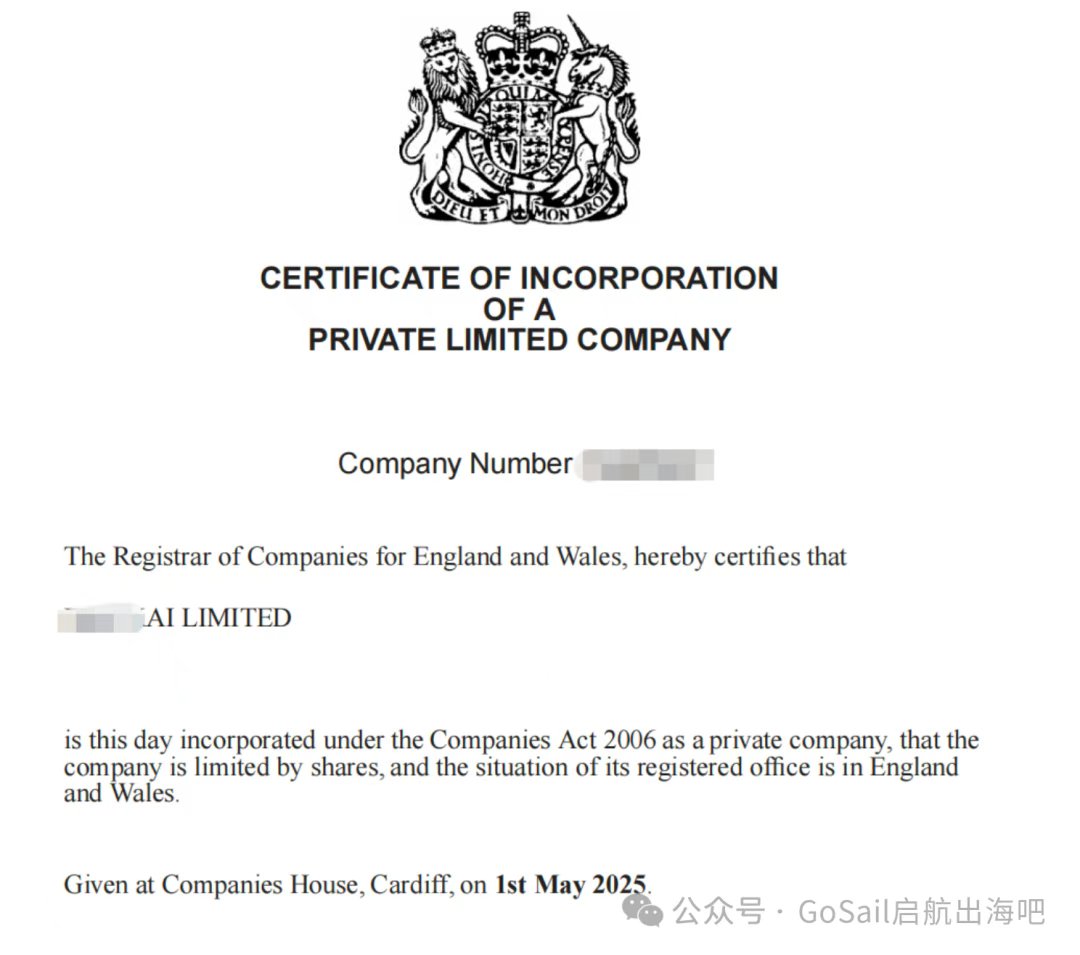
2. Registering a Company
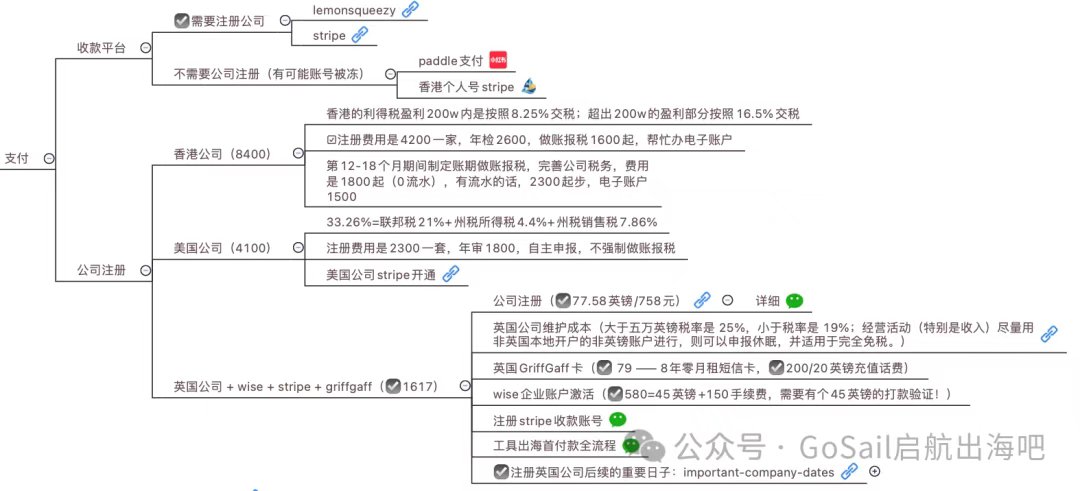
You don't need a registered company to enable business payments, but you do run the risk of getting your account banned — I've seen it happen to someone I know! As for the cost of registering a company, the budget version runs just ¥1,600.
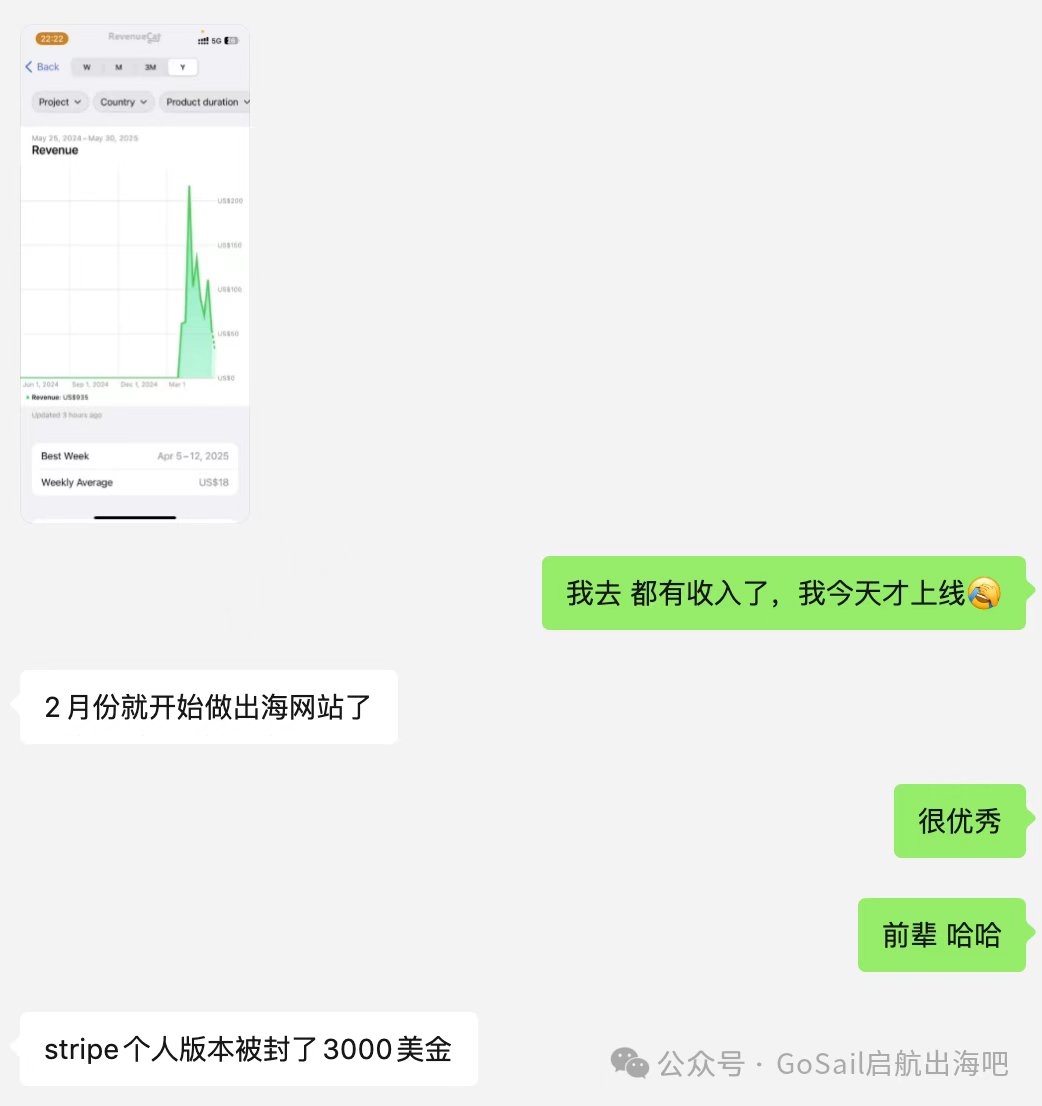
A friend of mine used a personal Stripe account to collect payments and got $3,000 frozen when it was banned:
I went the UK company + Wise + Stripe route. For the step-by-step details, see:
3. Constantly Learning and Iterating
- Listening to podcasts: "HardcoreHacker" (硬地骇客) on Xiaoyuzhou
- Scanning trending lists: AI trending lists, the top 10 posts in Reddit subreddits
- Publishing on social media
- Learning SEO
- Learning Google Ads
What I Got "Wrong"
1. Insufficient Demand Validation
I never identified the core need, never highlighted the core feature, and my competitive analysis was off too — demand and product were misaligned. I could spot user needs, but I never found the core need; I was just listing out features.
Don't emphasize features — emphasize scenarios and outcomes.
The key components of the leanest possible MVP (Minimum Viable Product):
- Landing page (optional, depending on your needs)
- User signup/login (a wait list works too)
- Core functionality
- Payment system
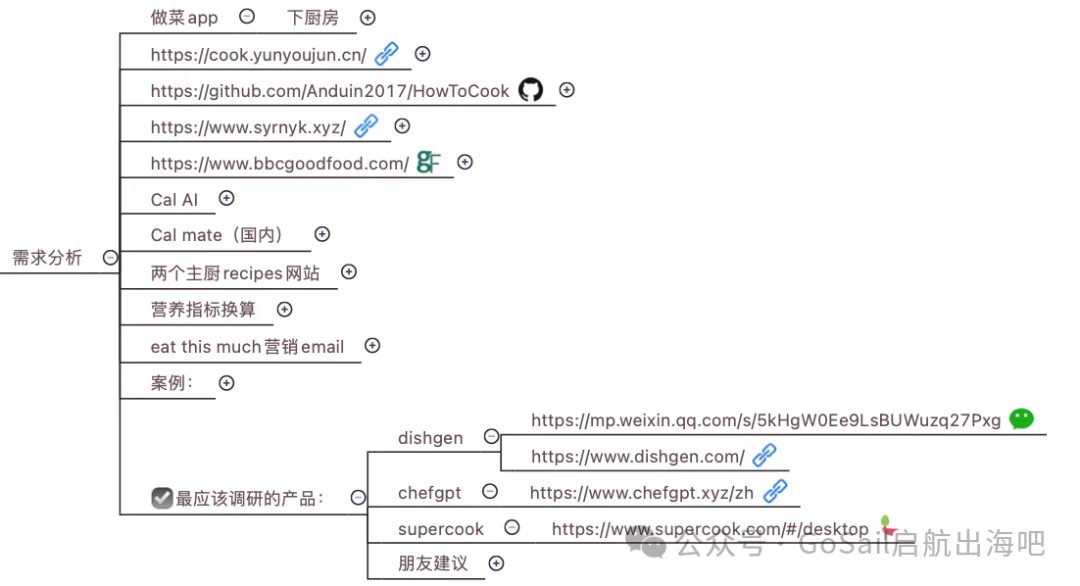
As an AI recipe website, what I really should have researched were the closest competitors and their user feedback: Dishgen, ChefGPT, Supercook — plus the blunt opinions of friends.
2. Buying a .ai Domain — ¥1,061 for Two Years
Just buy a cheap domain, something like .food or .xyz that costs a few bucks. Whichever is cheapest wins!
Product growth comes down to how you do marketing. If it's an MVP, there's no need to splurge on a domain. The whole point of an MVP is validating that the product is viable: only once you receive your first customer order (and I don't mean your aunts and uncles in your WeChat Moments — I mean a customer you acquired through your own promotion) can you say you've genuinely validated PMF (Product-Market Fit).
3. Buying an Overseas Server — ¥1,170 for One Year
The mature products a startup needs all have a "free tier":
| Purpose | Service |
|---|---|
| Code hosting | GitHub (free for open source) |
| Database | Supabase |
| Instant deployment | Vercel |
| DNS | Cloudflare |
| Object storage | Cloudflare R2, AWS S3 |
Tip: Keep an eye on your monthly bill, and contact support if something looks off! I personally found an extra $8 on my AWS bill — after 3–4 rounds of emails it still wasn't resolved. Don't count on overseas support being fast.
4. Chasing Done, Not Perfect
Take small, fast steps rather than giant strides. As LinkedIn founder Reid Hoffman put it: "If you are not embarrassed by the first version of your product, you've launched too late."
5. Time Allocation
You should spend 40% of your time on demand discovery, 20% on development, and 40% on promotion and marketing.
6. Vibe Coding Principles
For this site, I generated the frontend code with V0 first, then designed the backend APIs and database, and only at the end wired everything together and deployed — a painful, winding process. The path I'd recommend:
- Backend first, then frontend
- Think first, then code
- Lock in results at each stage
7. Using AI Fully Throughout Development
Let AI participate fully in every stage: requirements research, design, and development.
- Dev tools: use Cursor and Windsurf side by side to compare
- Use AI prompts for your PRD and competitive analysis
- Use AI prompts for design mockups and an initial landing page
- Use Cursor and Windsurf to generate the technical design doc and task list, then execute the development tasks
For the next steps on the journey, check out the "going global" checklist that Gefei (哥飞) shared on Jike. The road is long, but keep walking and you'll get there!
Recommended Resources
- Aidoubi (艾逗笔): I followed his guide to get the whole global payment flow working (article)
- Gefei (哥飞) (WeChat official account, Jike): focused on going global, SEO enthusiast
- Baiyang SEO Tutorials (白杨SEO优化教程) (WeChat official account): focused on SEO
- BigYe Chengpu (BigYe 程普) (WeChat official account): indie dev going global, full-stack engineer
- Lixiang Shi Ziyou (理想是自由) (WeChat official account): programmer & freelancer, AI for global markets
- Liangchen Mei (良辰美) (WeChat official account): the "making money from trending lists" series, the "mining gold on Reddit" series
- Latiao Jiala (辣条加辣) (WeChat official account): a deep dive into one money-making overseas AI product every day
- The "HardcoreHacker" (硬地骇客) podcast on Xiaoyuzhou
If you want the hands-on "going global" mind map, follow the WeChat official account "GoSail 启航出海吧" and reply with "出海实战" to get it. It covers brand naming, logo design, dev tools, payment systems, tax maintenance, dev framework selection, domain purchasing, server selection, data storage selection, AI-assisted end-to-end product workflows, marketing and promotion, and more.
FAQ
Do you have to register a company to launch a website globally?
You don't necessarily need a registered company to enable business payments, but collecting payments as an individual carries the risk of getting your account banned — a friend of mine had $3,000 frozen when his personal Stripe account was shut down. The cheapest company registration option costs roughly ¥1,600.
What's the minimum set of pieces an MVP needs?
A landing page (optional, depending on your needs), user signup/login (a wait list works to start), core functionality, and a payment system. The point is to validate with the smallest possible version whether anyone is willing to pay.
How do you save money on domains and servers for a brand-new global site?
At the MVP stage, buy a cheap domain (.xyz, .food and the like, a few bucks each). For hosting, use services with free tiers such as GitHub, Supabase, Vercel, and Cloudflare — and check your bill every month.
Original post: Lessons from one month of an "unsuccessful" global website launch (@GoSailGlobal)
Subscribe to Newsletter, get the full playbook free
Subscribe to get the complete "AIP Overseas Social Media Playbook" (we email you the download link), plus weekly AI curated content
Related Posts
Indie Seller Weekly #6: Lemon Squeezy Is Shutting Down, and 195 Sellers Just Opened Shop There
2026-11-17
Going GlobalIndie Seller Weekly #5: Bring-Your-Own-Key AI Tools Sold for a One-Time Price Are Multiplying
2026-11-09
Going GlobalIndie Seller Weekly #4: New Sellers Doubled in October, and AI Front Desks for Small Shops Are Everywhere
2026-11-02
Jason Zhu
Ex-AI Engineer | AI Blogger